

Chrome extension for Google Sheets · v1.1.0
Google Sheets, finally dark. Red still means over budget.
Dark Mode for Google Sheets repaints the grid as Sheets draws it. Pastel rows become deep tints, red totals stay red, and every one of the 180 fill and text pairs we test reads at 5:1 contrast or better. Menus and dialogs go dark too, in any font you have installed.
Not on the Chrome Web Store yet. Built for Chrome 111 or newer and tested there. Edge, Brave, Arc and Vivaldi load it the same way.
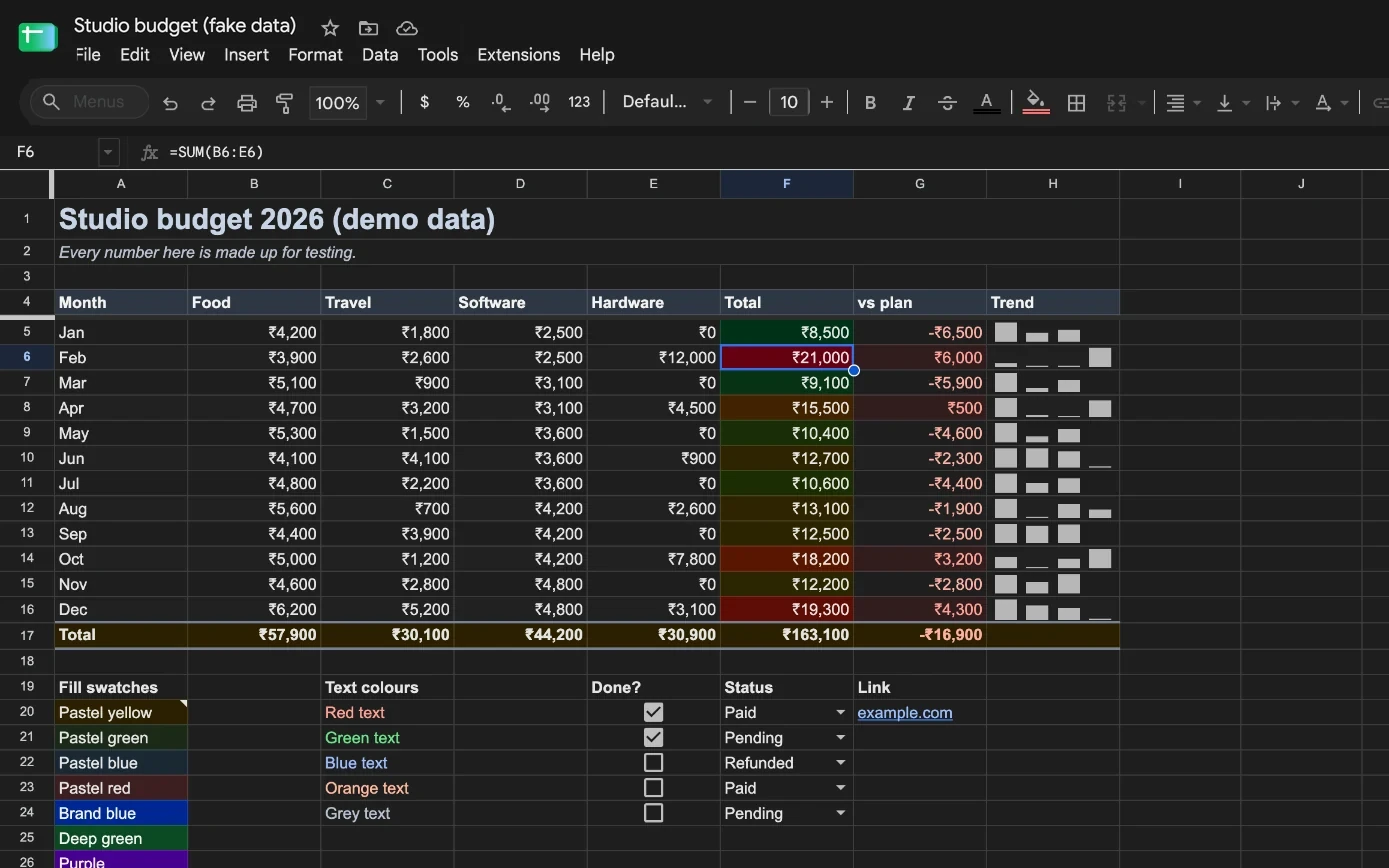
Drag across a real sheet
The same budget captured in Google Sheets, with and without the extension. Every number is made up for testing.
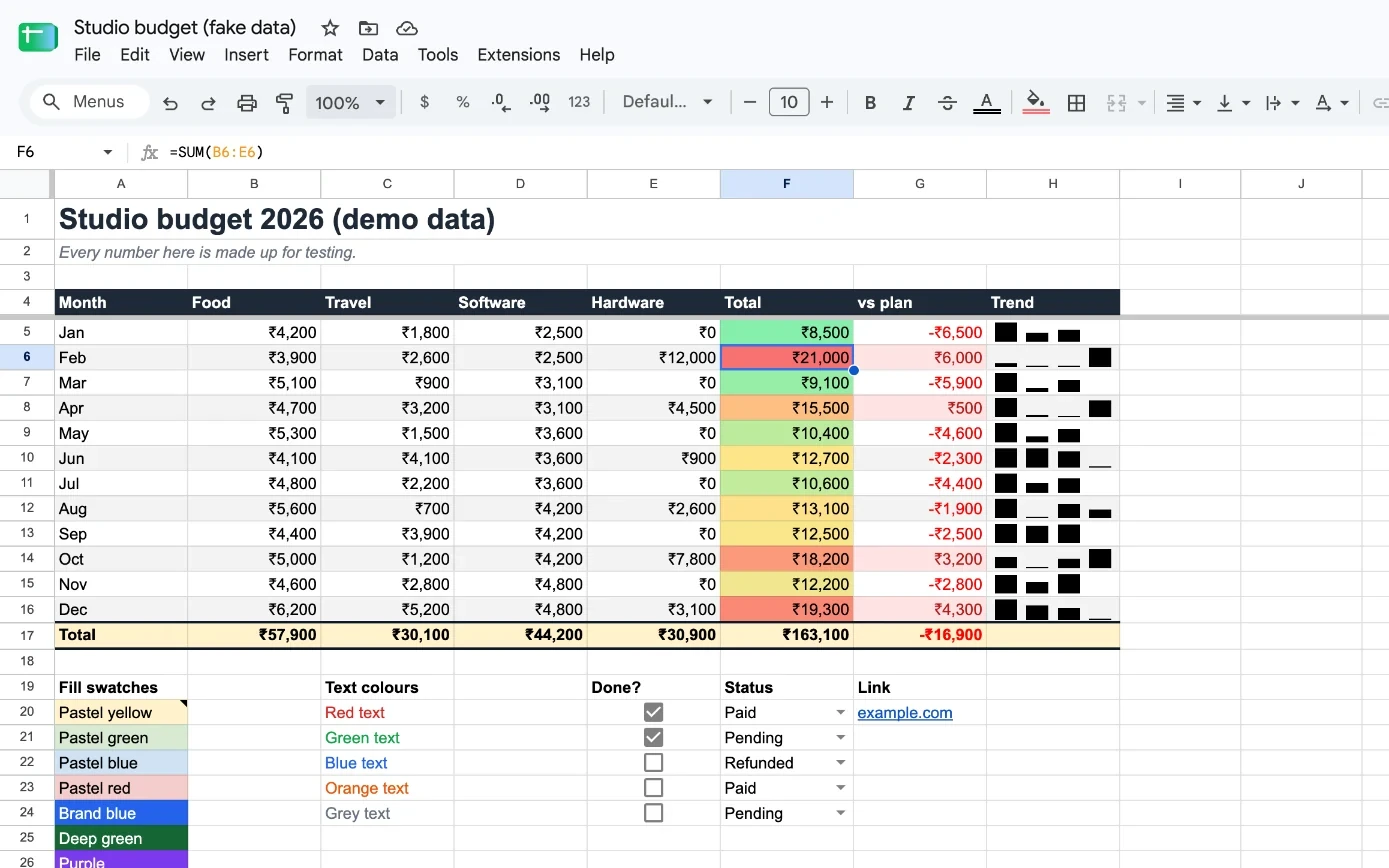
Invert-style dark modes turn your red total cyan
Most dark-mode extensions flip every colour to its opposite, so meaning flips with it. This one keeps each hue and moves it into the dark.
180 colour pairs, every one at 5:1 or better
The test suite pairs 20 common cell fills with 9 text colours and fails the build if any pair drops below 5:1 in any theme. WCAG AA asks for 4.5:1. Below, all 180 as the extension draws them in Graphite.
- Graphite 5.34:1
- Midnight 5.11:1
- OLED 7.36:1
- Dim 5.20:1
Four darks. Pick the one your eyes like.
Each theme moves the whole grid into its own dark band, so tinted rows, headers and red totals stay apart in all four.
Haffer, Inter, SF Pro: type any font you have and every cell uses it
Open the extension's popup and type a font installed on your computer. Cells, charts and menus switch on your screen. Monospace cells keep their font, the file keeps its own, and nothing is downloaded.
Shown with Haffer, the typeface this site is set in. Your popup lists the weights it finds on your computer.
Alt+Shift+D flips dark mode without a reload
Press it on this page to try. On a Mac, Alt is the ⌥ Option key. Keep one sheet light while the rest go dark, or let dark mode follow your computer's appearance.
Dark mode on
No servers. No analytics. One permission.
The extension never reads, stores or sends what is in your cells. Read the privacy policy or check the code.
// extension/manifest.json"manifest_version": 3,"name": "Dark Mode for Google Sheets™","permissions": ["storage"],"host_permissions": [ "https://docs.google.com/spreadsheets/*"],
Install in 30 seconds, before the store listing goes live
- 1Download dark-mode-for-google-sheets.zip and unzip it.Download (34 KB)
- 2Open
chrome://extensionsand switch on Developer mode, top right. - 3Click Load unpacked and choose the unzipped
dark-mode-for-google-sheetsfolder. - 4Open any Google Sheet. It is dark already. Pin the moon from Chrome's puzzle-piece menu to reach the settings.
Questions people ask before installing
What does it cost?
Nothing. It is free and open source under the MIT licence, with no account and no paid tier.
Does it change my spreadsheet?
No. It only changes how the page is drawn on your screen. The file, your collaborators' view, print and PDF export stay exactly as they were.
Can it read my data?
It swaps colours and fonts as Sheets draws them and never looks at the text or numbers. It has no server to send anything to and makes no network requests at all. The code is public on GitHub.
Will it break when Google updates Sheets?
The grid engine works at the drawing level and does not depend on Google's class names. For menus and dialogs, a safety net darkens any light pop-up it finds, so a new Google panel is dark on day one, and fixes ship on GitHub.
Which fonts work?
Any font installed on your computer. Type its name in the popup to see whether it is installed and how many weights it has. Nothing is downloaded, and everyone else still sees the sheet's own fonts.
Does it work on Google Docs or Slides?
Not yet. It is built for Sheets, where cell colours carry meaning and a simple invert does the most damage.